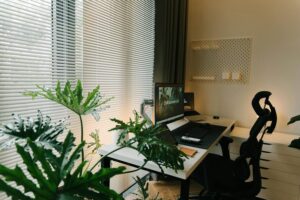
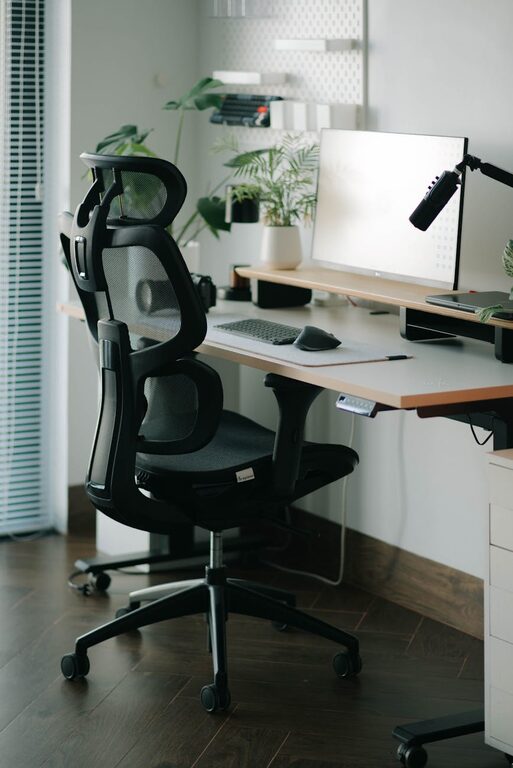
Creating a home office space that supports both comfort and productivity is essential for anyone who works remotely or spends significant time at home working. An effective workspace helps you stay focused, organized, and motivated, while also protecting your well-being. Whether you’re setting up a new office or improving an existing one, these tips will guide you to create a home office that suits your needs perfectly.
Choose the Right Location
Selecting the right spot in your home for your office is the first step to creating a productive space. Ideally, the area should be quiet and free from distractions. Consider these factors when picking a location:
– Natural Light: A room or corner with good natural light can boost mood and energy levels. Position your desk near a window if possible.
– Away from High-Traffic Areas: Avoid places like the kitchen or living room where interruptions are frequent.
– Space for Essentials: Ensure there’s enough room for your desk, chair, and any equipment you need.
If space is limited, even a small corner or nook can become a comfortable office with careful planning.
Invest in Ergonomic Furniture
Comfort is key when spending long hours working. Ergonomic furniture helps prevent discomfort and health issues. Focus on these essentials:
– Ergonomic Chair: Choose a chair with adjustable height, good lumbar support, and comfortable padding.
– Desk at Proper Height: Your desk should allow your arms to rest comfortably with elbows at about 90 degrees.
– Monitor Position: Place your computer screen at eye level to avoid neck strain.
If possible, consider a sit-stand desk that lets you alternate between sitting and standing throughout the day.
Organize Your Desk and Storage
A cluttered workspace can lead to distraction and stress. Keeping things organized supports a clear mind and efficient workflow.
– Use Storage Solutions: Drawers, shelves, and filing cabinets help keep paperwork and supplies out of sight but within reach.
– Desk Essentials Only: Keep your desk surface clear except for things you use daily – such as a computer, notebook, and a pen.
– Cable Management: Use clips or under-desk trays to manage cords and prevent tangling.
Regularly tidying your workspace at the end of each day can maintain a clean environment.
Optimize Lighting
Proper lighting reduces eye strain and sets the right mood for work. Aim to balance natural light with artificial lighting:
– Task Lighting: A desk lamp with adjustable brightness can provide focused light for reading or detailed work.
– Avoid Glare: Position your screen to minimize glare from windows or overhead lights.
– Soft Overhead Lights: Use diffused lighting to create an even, comfortable environment.
Soft, warm lights are often more relaxing, while bright white lights can help maintain alertness during work hours.
Personalize Your Space
Adding personal touches to your office makes it a welcoming place you enjoy spending time in.
– Incorporate Plants: Indoor plants can improve air quality and add natural beauty to the space.
– Artwork or Photos: Hang pictures or art that inspire or calm you.
– Comfort Items: A cozy throw, a favorite mug, or a small speaker for music can enhance your mood.
Just be careful not to overcrowd the space with decorations, which could become distracting.
Use Technology Wisely
Technology is a major part of working from home, so setting it up efficiently is important.
– Reliable Internet: A strong, stable connection keeps you productive and connected.
– Headphones: Noise-cancelling headphones can block distractions and improve focus during calls or deep work.
– Organized Desktop: Keep your computer files and applications well organized to save time.
Consider software tools to keep track of tasks and deadlines, helping you stay on top of your work.
Create a Routine and Boundaries
Your physical workspace is important, but so is your mindset and habits.
– Set Work Hours: Define your start and finish times to separate work time from personal time.
– Breaks: Schedule short breaks to stretch and rest your eyes regularly.
– Communicate Boundaries: Let family or housemates know your work schedule and that you need uninterrupted time.
A consistent routine signals to your brain when it’s time to focus and when to relax.
Maintain Good Air Quality and Comfort
A healthy environment contributes to well-being and performance.
– Ventilation: Ensure your workspace has fresh air circulation.
– Temperature Control: Keep the room at a comfortable temperature, not too hot or cold.
– Humidity: Use a humidifier in dry climates to keep air comfortable.
Pay attention to your comfort, making adjustments when needed, as this impacts your concentration and energy.
—
Creating a home office that is both comfortable and productive doesn’t require a complete overhaul. With thoughtful planning and a few key adjustments, you can build a workspace that supports your work and well-being. Start by choosing the right location, invest in ergonomic furniture, organize your area, optimize lighting, and personalize your space. Add good technology, maintain healthy habits, and prioritize air quality to make working from home a positive and effective experience.