Creating a home office that is both cozy and functional can greatly enhance your work experience. Whether you work remotely full-time or need a dedicated space to handle personal projects, a well-designed office can improve focus and comfort. Here are practical tips to help you set up a home office that feels inviting and supports your productivity.
Choose the Right Location
The first step to a great home office is selecting the best spot in your home. Ideally, find a quiet space away from high-traffic areas. If possible, choose a room with natural light, which helps reduce eye strain and can improve mood. If space is limited, a corner in a living room or bedroom can work well — just make sure it’s free from distractions.
Invest in an Ergonomic Desk and Chair
Comfort is key when spending long hours working. Invest in an ergonomic chair that supports your back and promotes good posture. A desk at the right height helps prevent strain on your wrists and shoulders. Adjustable desks that allow you to switch between sitting and standing can also be a great addition to maintain good health.
Organize with Storage Solutions
Clutter can be a major distraction. Utilize shelves, filing cabinets, or storage boxes to keep your work materials organized. Label containers and folders to easily find documents. If your space is small, vertical storage like wall-mounted shelves can save precious floor space while keeping essentials within reach.
Personalize Your Space
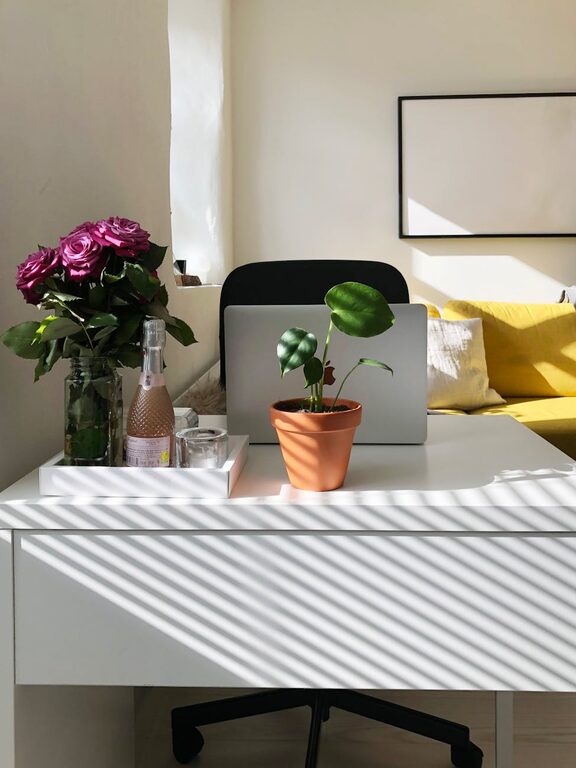
To make your office feel cozy, add personal touches that bring you joy and inspiration. Photos, artwork, plants, or decorative items can add warmth and character. Just be sure not to overdo it—too many decorations may become distractions.
Optimize Lighting
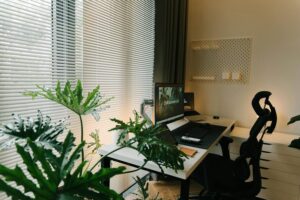
Good lighting is crucial for a functional home office. Position your desk near a window for natural light, but use blinds or curtains to control glare. Supplement with task lighting like a desk lamp that provides focused, adjustable light. Soft, ambient lighting can also help reduce eye fatigue during long work sessions.
Manage Cables and Tech
A tangled mess of cords can look messy and cause frustration. Use cable organizers, clips, or sleeves to keep all wires neatly bundled. Arrange your computer, printer, and other devices so that cords are out of the way but accessible. Also, ensure you have enough power outlets or use a surge protector for safety.
Create Zones for Different Tasks
If your space allows, divide your home office into zones for various activities. For instance, dedicate one area for computer work and another for reading or brainstorming. This separation can help your brain switch between tasks and maintain focus.
Incorporate Comfortable Elements
Adding elements like a soft area rug, cozy throw blanket, or cushioned footrest can improve comfort during work hours. Proper ventilation and a fan or small heater can help maintain a comfortable temperature throughout the day.
Keep It Clean and Tidy
Regular cleaning is essential to keep your home office inviting. Dust off surfaces, vacuum the floor, and wipe down your desk daily. A clean workspace can reduce stress and help you stay motivated.
Set Boundaries
Finally, set clear boundaries between work time and personal time. If possible, close the office door or use visual cues like a room divider to signal work hours. Creating a routine around entering and leaving your workspace can help maintain balance and reduce burnout.
—
A well-thought-out home office not only supports your work but also contributes to your overall well-being. By combining comfort with practical organization, you can create a space where productivity and relaxation go hand in hand. Start planning your ideal home office today!